
Download Vribble – AI‑Powered Note‑Taking & Summarization Tool
Overview & Key Features
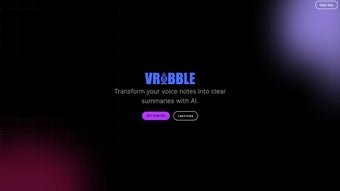
Vribble is an innovative AI‑driven web application that turns spoken thoughts into organized, searchable text. Designed for professionals, students, and creators who juggle many ideas, Vribble captures voice recordings, automatically transcribes them, and then creates concise summaries. The platform eliminates the need for multiple notebooks, voice‑memo apps, or manual typing, allowing users to retrieve information with a single keyword search.
In addition to core transcription, Vribble integrates directly with Telegram, so users can send voice messages to the bot and receive instant transcriptions back in the chat. The service is offered through a tiered subscription model: the free “Note Taker” plan provides 15 minutes of monthly recording time and basic search capabilities; the $7 / month “Brainstormer” plan expands to 120 minutes and unlocks Telegram connectivity; the $12 / month “Idea Machine” plan grants 240 minutes and adds advanced organizational tools. By centralizing recordings, transcriptions, and summaries in one secure cloud, Vribble helps users stay focused, reduce cognitive overload, and retrieve ideas exactly when they need them.
- AI‑powered transcription with high accuracy across multiple accents.
- Automatic summarization that extracts key points from each recording.
- Keyword‑based search across all past recordings and summaries.
- Seamless Telegram bot integration for voice‑message transcription.
- Tiered subscription plans – free, $7/mo, and $12/mo – to match usage needs.
- Secure cloud storage with end‑to‑end encryption.
- Cross‑platform web access – works on any modern browser.
- Export options: PDF, TXT, and direct copy to clipboard.
Installation, Usage & Compatibility
Getting started with Vribble is intentionally frictionless. Since Vribble is a web‑based service, there is no traditional download or installation required. Users simply navigate to www.vribble.com, create a free account using an email address or a Google/OAuth login, and are immediately presented with the dashboard.
From the dashboard, click the “New Recording” button, grant the browser permission to access your microphone, and start speaking. The AI engine begins transcribing in real time; once you stop recording, Vribble processes the audio for a few seconds and then displays a polished summary alongside the full transcript. Users can tag recordings with custom keywords, add optional notes, and instantly search the entire library using the top‑right search bar.
For Telegram users, the setup involves adding the Vribble bot (@VribbleBot) to your contacts, sending a voice message, and receiving a reply that contains the transcription and a link to the summarized entry in your Vribble account. This two‑way integration streamlines workflow for those who already rely on Telegram for team communication.
Compatibility: Vribble runs on any device with a modern web browser, including Windows 10/11, macOS Ventura and later, Linux distributions, Chrome OS, Android (Chrome/Edge browsers), and iOS (Safari/Chrome). No additional software or plugins are required.
Because the platform is cloud‑native, updates are deployed automatically. Users always interact with the latest AI models and security patches without needing to manually install anything.
Pros, Cons & Expert Review
- Pros
- Highly accurate AI transcription that supports multiple languages and accents.
- Instant summarization saves time and reduces reading fatigue.
- Free tier sufficient for casual users; affordable paid plans scale with needs.
- Telegram integration offers a unique, low‑friction way to capture ideas on the go.
- All data stored securely with encryption, respecting user privacy.
- Cons
- Requires a stable internet connection; offline usage is not currently supported.
- Monthly recording limits may be restrictive for heavy podcast creators.
- Web‑only interface means no native desktop or mobile apps (though browsers work everywhere).
Vribble stands out in the crowded note‑taking market by marrying AI transcription with automatic summarization and a clever Telegram bridge. For anyone who records brainstorming sessions, lectures, or spontaneous ideas, Vribble turns raw audio into searchable knowledge in seconds. The free tier offers a generous taste, while the paid plans remain competitively priced. The main drawback is the lack of offline capability, but for most web‑centric workflows this is a minor inconvenience. Overall, Vribble earns a solid 4.5‑star rating for its accuracy, usability, and innovative integration features.
Frequently Asked Questions & Conclusion
Is Vribble really free to use?
Yes. The “Note Taker” plan is free and includes 15 minutes of recording per month, basic transcription, and keyword search.
Can I export my transcripts?
Absolutely. Vribble lets you download recordings as PDF, plain‑text (TXT), or copy them directly to the clipboard.
How secure is my data?
All audio files and transcriptions are stored with end‑to‑end encryption. Vribble complies with GDPR and does not sell your data to third parties.
Do I need a Telegram account to use the bot?
Yes, the Telegram integration requires a Telegram account, but the core web app works perfectly without it.
What happens when I exceed my monthly minutes?
Recording will pause until the next billing cycle or you upgrade to a higher‑tier plan. Existing transcripts remain accessible.
Conclusion & Call to Action
If you struggle to keep track of fleeting ideas or lengthy meetings, Vribble offers a streamlined, AI‑enhanced workflow that turns speech into searchable knowledge in seconds. Its web‑based nature means you can start instantly on any device, and the Telegram bot adds a clever shortcut for on‑the‑go transcription. For casual users, the free plan provides ample functionality, while power users will appreciate the affordable Brainstormer and Idea Machine subscriptions. Ready to stop juggling notebooks and start organizing your thoughts with AI? Sign up for Vribble today and experience the future of note‑taking.



.png)



